
Schedule
The Schedule is one combined agenda of everything you’ve got coming up — both appointments and scheduled jobs — laid out day by day. For a service business it answers the one question you ask every morning: what’s on today?
What’s on the Schedule
Section titled “What’s on the Schedule”Open Schedule from the sidebar. You get a single chronological list of upcoming items, grouped under a heading for each day. The subtitle tells you the total (e.g. 12 upcoming).
Each row shows:
- The start time on the left.
- The title of the appointment or job.
- A short subtitle — for an appointment, its start–end time; for a job, the word Job and its scheduled time.
- A status badge (scheduled, confirmed, completed, dispatched, in progress, and so on).
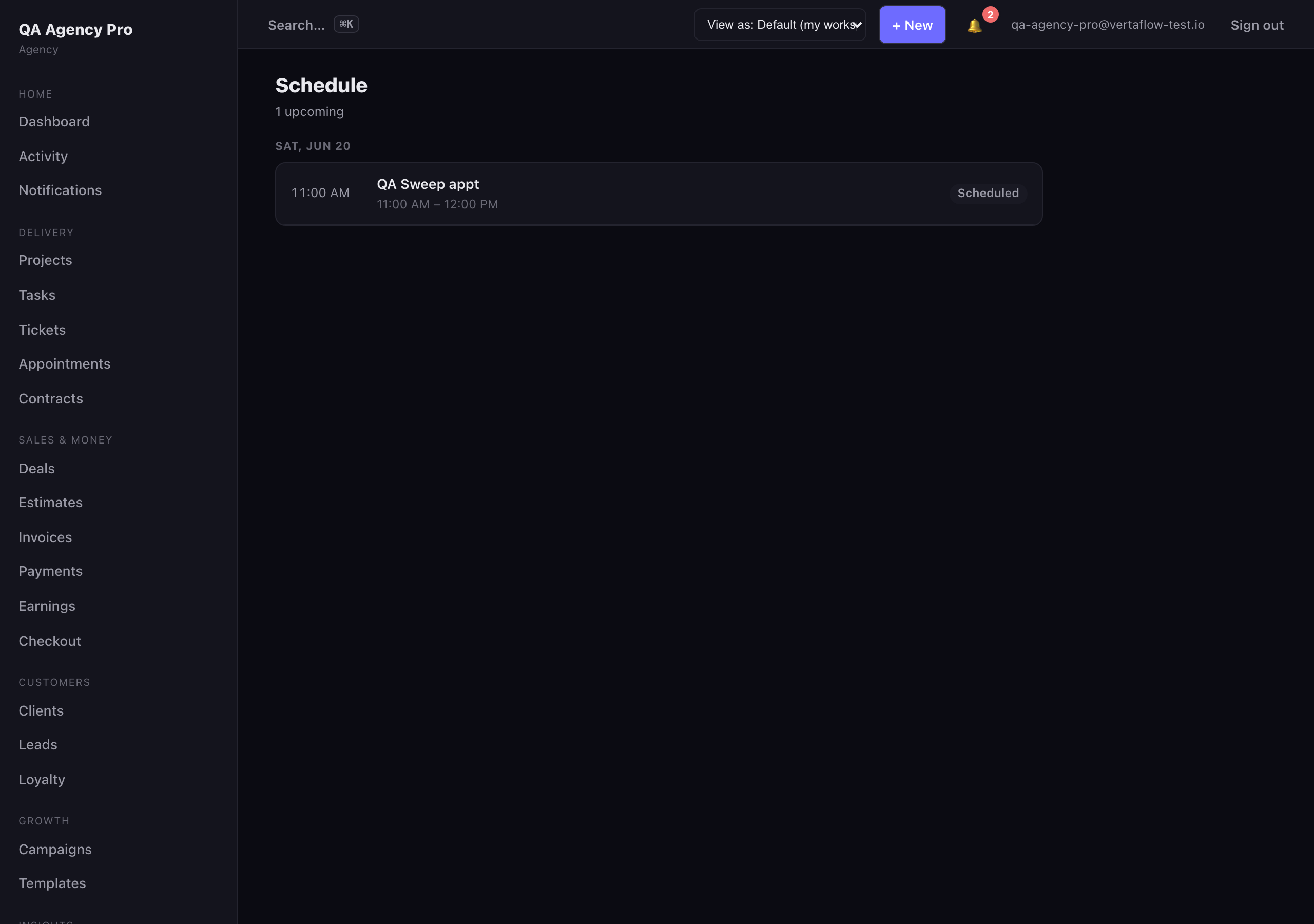
The Schedule unifies appointments and dispatched jobs into one day-by-day agenda.
How items are grouped
Section titled “How items are grouped”Everything is sorted by time and bucketed under its calendar day, so you read straight down the page from the next thing happening through the days ahead. The agenda looks forward from now (roughly the next three months). Empty days don’t appear — you only see days that actually have something on them.
Where the items come from
Section titled “Where the items come from”The Schedule doesn’t replace your other screens — it gathers from them:
- Appointments all appear here. To create, reschedule, or edit one, use the Appointments screen.
- Jobs appear here too, but only once they have a scheduled time. A job with no scheduled date stays off the agenda until you set one. Manage the full job from the Jobs screen.
Click any row to jump straight to that appointment or job’s detail page, where you can make changes. Because the Schedule is a read-only roll-up, you book and edit on the Appointments and Jobs screens, then come here for the unified view.