
Packages & memberships
Packages are how you sell time up front. A client buys a block of sessions — a 10-class yoga pack, a 5-visit punch card, a monthly membership — and VertaFlow tracks what they’ve used and what’s left. They’re built for wellness, spa, fitness, and any business that sells prepaid visits.
The three kinds of package
Section titled “The three kinds of package”VertaFlow handles three shapes, and the difference is just how sessions are counted:
- Session pack — a fixed number of prepaid sessions that burns down to zero (e.g. a 10-class pack).
- Punch card — the same idea, a fixed count you “punch” each visit.
- Membership — an ongoing subscription with no session count; it doesn’t burn down.
What’s on the Packages list
Section titled “What’s on the Packages list”Open Packages from the sidebar. You get a searchable list of every package your clients hold:
- Package — the package name.
- Client — who owns it.
- Balance — how many sessions are left. For a pack or punch card it reads
7 / 10 left; for a membership it just reads Membership. - Status — active, completed, expired, or cancelled.
- Price — what the client paid.
Search by package or client name, and filter by status with the row of buttons (all, active, completed, expired, cancelled). Click any row to open that package’s detail page.
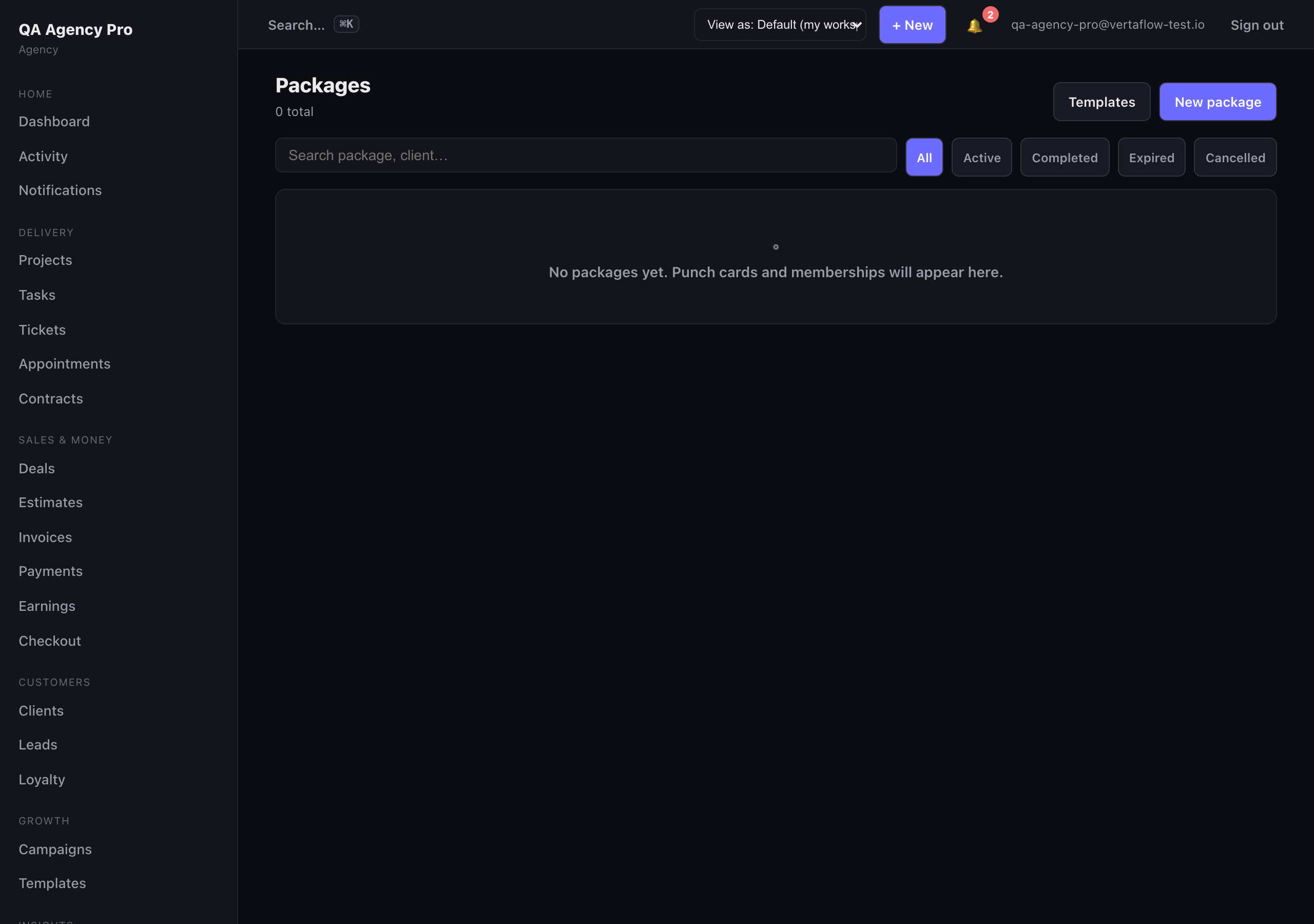
The Packages list shows every active pack and membership, with the remaining-session balance front and center.
Package templates — define once, sell many times
Section titled “Package templates — define once, sell many times”You don’t build each package by hand. Instead you create a template — a reusable definition of an offer — and then assign it to clients in a tap. Click Templates (top right of the Packages list) to manage them.
A template holds:
- Name — e.g. 10-class yoga pack.
- Kind — session pack, punch card, or membership.
- Total sessions — how many sessions the pack includes (skipped for memberships, which have no count).
- Price — what the client pays.
- Validity (days) — optional. How long the package is good for once assigned; leave blank for no expiry.
- Active — inactive templates stay on file but are kept out of the way.
Create a template
Section titled “Create a template”- On the Packages list, click Templates.
- Click New template.
- Fill in the name, pick the kind, and set total sessions, price, and (optionally) validity days.
- Click save. The template appears in the list, ready to assign.
To change one later, click Edit on its card. To remove it, click Delete (you’ll be asked to confirm).
Templates are reusable offers — define a pack once, then assign it to as many clients as you like.
Assign a template to a client
Section titled “Assign a template to a client”Assigning a template is what actually creates a client’s package:
- On the template’s card, click Assign to client.
- Pick the client.
- Click Assign.
VertaFlow creates a new package for that client from the template’s settings — copying the session count, price, and validity — and drops you on the new package’s detail page. If the template has a validity period, the expiry date is set from the assign date.
Redeeming a session
Section titled “Redeeming a session”Each time the client shows up and uses a visit, you punch (redeem) one session from the package. This increments the used count by one and counts down the balance. You can do this from the package’s detail page, or it happens automatically at a connected kiosk / check-in when the client uses a visit.
When the last session is used — used count reaches the total — VertaFlow marks the package completed automatically. Memberships don’t burn down this way; they stay active as an ongoing subscription.
Expiry
Section titled “Expiry”If a template (or package) has a validity period, the package gets an expiry date. Once that date passes, the package moves to expired and its remaining sessions can no longer be redeemed. Packages with no validity set never expire on their own.